Study Protocols
Study Protocols
Some Studycast worksheets contain a Protocol drop-down that allows you to further specify the type of exam you are performing. For example, if you select Abdomen as your Study Type you can then choose Renal, Liver, etc. from the Protocol drop-down to reconfigure the worksheet to display just the appropriate tabs and fields for that type of exam. Choosing a Protocol will also update the title appropriately on your final report.
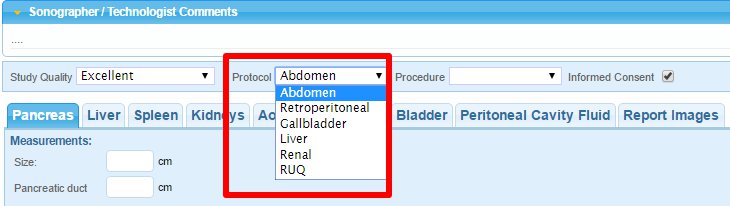
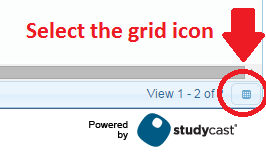
You can also search/filter by Study Protocol from the Studies page. If the Study Protocol column isn't displayed, you can add it by clicking the Grid Setup icon in the bottom-right corner of the page.
Related Articles
Study Type Codes
Study Type Codes See this article in Studycast Help STUDYTYPE PROTOCOL ALIAS AAA aaa Abdomen Abdomen abd Abdomen Gallbladder gall Abdomen Liver liv Abdomen Renal ren Abdomen Retroperitoneal ret Abdomen RUQ ruq Abdomen (Vet) abdvet Abdomen and Pelvis ...Study Reports
The study report includes patient information, study findings, and conclusions as approved by the reading physician. The report can also include study images. For information about adding images to the report, see Add Images to a Report. The report ...Change Study Type
Change Study Type See this article in Studycast Help If the study type is incorrect or is listed as Unassigned, you can change it on the Studies page or the Worksheet. Studies Page 1.Click the study ID to open the Study Properties window. 2.Click the ...Edit Study Properties
Edit Study Properties See this article in Studycast Help The Study Properties window displays information associated with the selected study. View or Edit Properties for a Single Study To view or edit the properties for a single study, click the ...Change Study Date
Change Study Date You can change the Study Date (DOS) on one or more studies on Studycast using Group Actions. Click the check box next to each study you want to edit. Click the down arrow at the top of the check box column. In the menu that appears, ...